Showing posts with label Lily Pad. Show all posts

Wednesday, March 25, 2015

Reflecting Upon Girls Make It 2: Flower Power

On 24 March, 21 participants from seven Vermont schools converged upon the Burlington Generator maker space to usher in the arrival of spring. Lucie deLabruere, Leah Joly, and Jill Dawson orchestrated the day's events, aided by the leadership of Maxine Breuer, a senior from Essex High School, and Eva Joly, a middle school maker.  To learn more, or to check out additional photos from the day, visit
http://www.girlsmakeit.org.
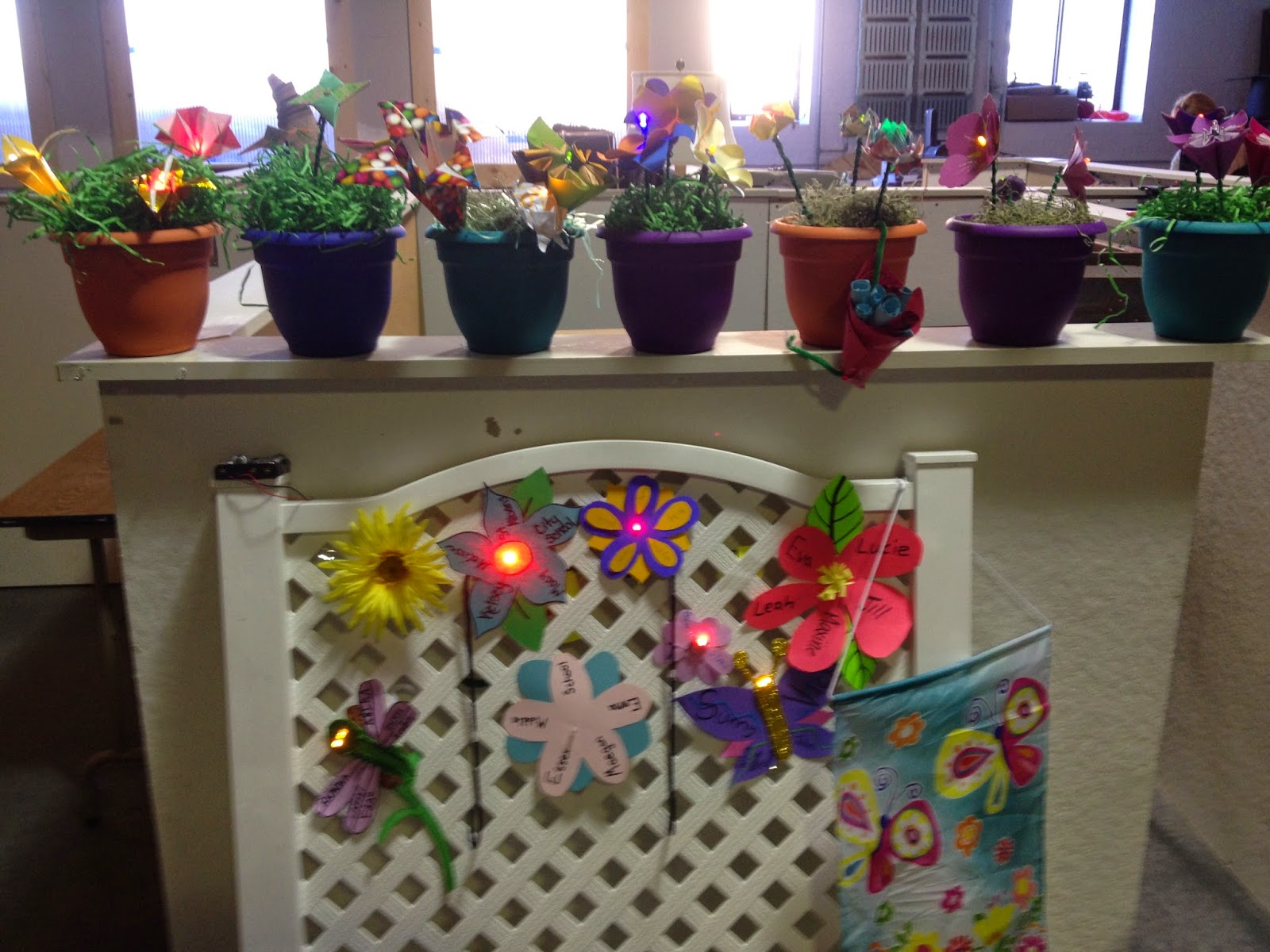
Inspired by MIT's robotic flower garden, Lucie devised a way to introduce girls to coding by turning a frenzy of handmade flowers into artistic arrangements of blinking and fading buds.

Teams met design challenges, wiring up their flowers and connecting them to Lily Pad microprocessors, to control each flower's behavior.  By the end of the day, each team created a portable floral arrangement to take back to their schools and contributed one flower to a community garden, which will be displayed at the Generator's birthday bash later this week.


HERE'S WHAT WORKED:
Like the previous event, having teams work together to solve problems was a good approach.

Because we asked each team to bring two flower tops with them, we were able to spend more time focusing on the coding and circuitry than we would have, had each team constructed all of their flower tops on site.  This approach also resulted in quite a variety of hand-made blossoms.

Participants brought their own lunches this time, which kept costs down.

Prominently posting the wifi code and email address to the Girl's Make It blog encouraged teams to share their progress and achievements with the community.

Having two student mentors helping out was fantastic!

Teams were very invested in making their take-away projects beautiful (and blingy).

We were flexible, based upon the energy and interests of our group;  our pacing felt more natural than it might have, had we tried to pack more into the day.

WHAT MAY BE IMPROVED UPON:

As could be expected, it took some time to get every computer up and running with Arduino.  We also encountered issues with a faulty cord that caused the LEDs in one arrangement to burn out.

We had planned to review circuits prior to having the teams wire up their flowers, but we ended up having them jump right in.  As a result, some flowers took longer to function properly.  Doing the review first, to explicitly tap into the girls' prior knowledge, would have been a good thing to have done.

Having a set of wire strippers would have been helpful.  The scissors worked, but wire strippers would have given the girls experience using a tool meant for that specific purpose.

We didn't anticipate that we'd have a shortage of alligator clips.


Sunday, December 14, 2014

Reindeer Hat Debut

Earlier today, I posted about my progress on my first e-textile project.  I am happy to report that it has now been sewn together and is working properly!

While the audio in this video sounds pretty distorted, the hat clearly plays "Rudolph the Red Nosed Reindeer."

I used a Lily Pad Simple Snap so that I could re-use and reprogram the board for other projects, without having to remove the LilyPad, itself.
Here is what my sketch looked like before I started sewing.  I'll be the first to admit that I didn't spend that much time on this.  I really wanted to jump right in, rather than spending a great deal of time sketching...plus, I always change my mind when I'm on the midst of creative work. The addition of a temperature sensor is featured in a later blog post. I'm not sure that I love the pom-poms.

My First E-Textile is Nearly Complete!

After going a couple of days living in a house without power, I was starting to think that I wasn't going to accomplish my goal of having one e-textile project complete for my brief presentation at the Generator this Thursday evening.

Then, I found some inspiration from seeing the gorgeous felt ornaments that Leah Joly has been making with her middle school girls...and, as luck would have it, the power was miraculously restored!

I am so happy with the way that this is turning out!


Last night, I turned a boring black hat into this near masterpiece.  I spent the morning coding the music and futzing with the circuit!  It works!  I am so excited!  If I can get this thing sewn together in time, I may have something to show after all!

Here are two aha's!

1.  After connecting my project with alligator clips to ensure that the circuit works properly, I discovered that I didn't have a clip running to my + (positive pin).  This confused me, because the circuit still worked perfectly.  So, I attached an alligator clip to the + pin and connected the other side of the clip to the clip connecting my speaker to the LilyPad and discovered that this caused the volume of my speaker to plunge dramatically.  Although I don't yet understand why this is the case, I wonder whether that might have something to do with why the speaker on Leah's "ugly sweater" isn't louder. (Update:  Nope, it doesn't.)


2.  There are different numbers that people look at when they are coding music.  Some people use the frequencies associated with musical notes, but others use a number called a "half-cycle delay."  Both may be used, as long as the code consistently uses one or the other.


Wednesday, December 10, 2014

Coding on a Snow Day!


I spent most of my day puttering around in the basement, trying to figure out how to add a temperature sensor to the project that I've been working on.

Today marks the third official work day that I've spent, attempting to learn how to code a Lily Pad Arduino. After a great deal of trial and error, I was finally successful!

Here is a link to the code that I used.  I wrote part of this code (the notes for "Baby, It's Cold Outside" and the code for the motor and sensor), but I borrowed HEAVILY from an Instructable that I found in order to get my to sync up with my music.

Saturday, December 6, 2014

Lily Pad Coding Day 2: My Music and Lights are in Sync!

The video below might not look like much, but I spent nearly all day today getting my Lily Pad to sync up with flashing green and red lights!

Here is a link to the code that I used, which is a combination of the music I coded last week (see previous post) and someone else's code for the lights.

The biggest problem that I am having at the moment is that there is a long pause at the end of the song and a couple of lights are flashing for reasons I cannot figure out.

My next step is to figure out how to get the music to turn on with a temperature sensor.


Sunday, November 30, 2014

Baby, It's Cold Outside (LilyPad style)

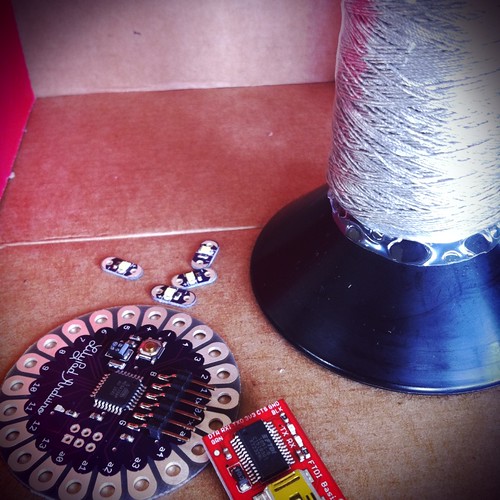
Lilypad with conductive thread by sameerhalai, on Flickr
Creative Commons Creative Commons Attribution-Noncommercial-Share Alike 2.0 Generic License   by  sameerhalai 

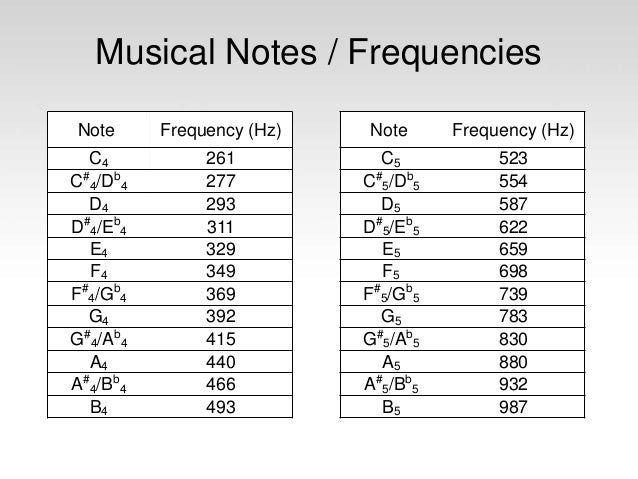
In a previous post, I shared the first musical composition that I coded for my LilyPad, a lullaby that I used to sing to my daughter.  Over the weekend, I sat down and started coding the song "Baby, It's Cold Outside," to get myself in the holiday spirit!  I used this frequency chart to match the notes on the sheet music.  Ideally, I'd like to create a scarf that plays this song and flashes multicolored lights when the temperature dips.

I haven't yet figured out how to program lights to flash in sync with my music, but that is next on my list.  Here is the code that I wrote.

The video is less than thrilling, but you can hear how my song is progressing.  I would appreciate any feedback you might have.


Ignite a Maker

For the months of December and January, thanks to an Ignite a Maker Grant, I am going to be making a concerted effort to focus on my soft circuit and e-textile skills!

My first goal is to complete a small e-textile project before Thursday, December 18th, so that I'll be prepared to share something at the Generator's next Third Thursday Social, which will be focused upon wearables.

Between Lucie's hat and Leah's jingly sweater (still in development), the gauntlet has definitely been thrown!

To see pictures from the event, visit this post from the Ignite a Maker blog.

Wednesday, September 3, 2014

New Technology: Lily Pad Arduino (30 Day Blogging Challenge: Day 2)

Yesterday's prompt was to reflect upon a new piece of technology that I want to try and to explain how I might use it.  Although this post is a day late, I spent the afternoon teaching myself how to program a musical composition, using my LilyPad Arduino.

This summer, when I started playing around with an Arduino Uno, I didn't enjoy it nearly as much as I enjoy the LilyPad Arduino. Perhaps it's because I like the idea that I can sew the components into art projects!  I'd like to learn more about programming with the LilyPad, because I want to integrate blinking lights into art projects that I'm working on.  I'd like to learn how to easily move between my Arduino Uno and my LilyPad Arduino to solve problems and increase my understanding of how to write my own code.

Today, I sat down with the book, Sew Electric, and I used it to get started on programming music. As was suggested by the book, I created variables for my music notes, because they were easier to work with than the numbers assigned to different frequencies.  Since I didn't want to be limited by the frequencies printed in the book, I found a lovely cheat sheet of Arduino frequencies and their corresponding notes online that helped make this easier.

Then,  I played around with the tones to compose my version of Sarah McLaughlin's song, "Ice Cream," which reminds me of my daughter.


Although this is not a visually engrossing video, you can hear the song if you want to.   In the near future, I will try to revise my code to match blinking lights with the song.